


Real-Time 3D Painting in Toolbag
Leverage intuitive texturing tools to author and paint physically accurate materials using a non-destructive layer-based workflow. Toolbag’s Texture Projects delivers easy-to-use painting tools, UDIM support, and an extensive collection of features that keep your asset creation workflow fun and fast.
- Infinite Layering & Masking
- Paint in 3D
- Texture Across Tiles
- Synchronized Baking & Texturing
- Vector Layers
- Less Modeling, More Texturing
- Free Asset Library
Layer Types
Speed up your texturing using Texture Projects various versatile layer types.
Paint
Paint pixel-perfect brushstrokes
Fill
Swiftly block out base materials
Procedural
Add seamless, random variation in a 3D space
Vector
Draw and edit curves on a 3D mesh
Adjustment
Stack blur effects, gradient maps, and color corrections
Processor
Generate organic wear and tear, and texture build-up
Sync Points
Make masks aware of newly added details below
Texture Project Specifications
Key Features
- Interactive (Real-Time) Bake Mode
- Offline Bake Mode w/ Real-Time Preview
- UDIM & Multiple Texture Set Baking
- Bevel Shader Baking
- Skew Map Painting
- Cage Offset Painting
- Mesh Quick Loader
- Bake Groups
- Texture Project Live-Link
Project Settings
- Multi-File or Multi-Layer PSD Output
- Samples Per Pixel (1x, 2x, 4x, 8x, 16x, 32x)
- Soften Filter
- Bits/Channel (8, 16, 32)
- Adjustable UV Padding
- Up to 8192 x 8192 resolution
Painting Tools
- Use/Ignore Hidden Meshes
- Ignore Transforms
- Smooth Cage (average cage normals)
- Ignore Back Faces
- Fix Mirrored Tangents
- Tangent Spaces – Mikk, Maya, 3DS Max, Marmoset
- Tangent Calculation – Per-Pixel / Per-Vertex
- Tangent Orientation – Left-Handed / Right-Handed
Selection Tools
- Use/Ignore Hidden Meshes
- Ignore Transforms
- Smooth Cage (average cage normals)
- Ignore Back Faces
- Fix Mirrored Tangents
- Tangent Spaces – Mikk, Maya, 3DS Max, Marmoset
Input Maps
- Normals (tangent/object)
- Height
- Position
- Curvature
- Convexity
- Cavity
- Thickness
- Bent Normals (tangent/object)
Layer Types
- Paint Layer
- Adjustment Layer Blur – Seamless option across UV borders
- Diffuse / Specular / Indirect Lighting
- Material, Object, Group ID
- UV Island
- Wireframe
- Alpha Mask
- Group
- Carve Group – Layer blending w/ a height-style gradient
- Cellular
- Checkered
- Clouds
- Gradient
- Perlin
- Tiles
- Turbulence
- Voronoi
Output Settings
- Rectangle
- Ellipse
- Lasso
- Polygon
- Magic Wand
- Mesh selection by Object, Face, & UV Island
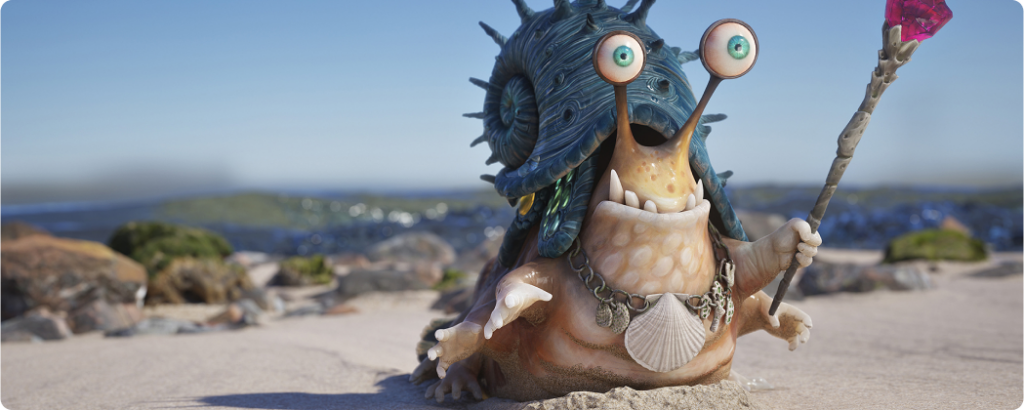

Alex Coman
3D Artist
“I love the flexibility of Toolbag. I can add meshes, remove them, and change them on the fly easily, which helps the texturing process a lot when you are iterating on different designs. Oh, and masking a mask is one of the most powerful tools ever!”
Texture Resources
Return Home / Marmoset Toolbag / Texture